Newest Courses

Performance Management System
Performance Management System Course
Overview
This course provides a practical understanding of the Performance Management Module, covering the end-to-end process of setting up and managing goal-setting, review cycles, and employee evaluations. It enables users to configure templates, define Goals, Key Results, Skills and competencies, assign reviewers, and conduct assessments in line with organizational policies. Learners will also explore advanced features like mid-term reviews and normalization, for transparent and data-driven evaluations.
Course Objectives
By the end of the course, learners will be able to:
• Configure performance templates, parameters,
and goal categories as per organizational norms.
• Define and manage performance cycles and reviewer hierarchies.
• Link organizational goals with departmental and individual objectives.
• Conduct evaluations, capture ratings, and manage feedback effectively.
• Integrate performance scores with payroll, increments, and promotions.
Course Content
- Performance template creation (Goals, Key Results, Milestones, Competencies and Skills parameters)
- Review cycle setup and scheduling
- Goal category and weightage configuration
- Employee and reviewer assignment process
- Self-assessment and manager review workflows
- Rating scales and comment settings
- Mid-term and final review management
- Normalization and bell curve processing
- Performance result approval and closure

Payroll Localization
Payroll Legislation
Overview
This training program provides a complete walkthrough of Payroll Legislation configuration and statutory payroll processing within the Onfinity System. The course covers both system-level configuration activities and employee-level statutory data updates, ensuring full compliance with Indian payroll laws. Participants will gain practical knowledge on configuring payroll components, statutory calculations, tax rules, and executing payroll to generate accurate statutory results.
Course Objectives
By the end of this course, learners will be able to:
- Understand the significance of payroll legislation in India, including tax compliance and employee benefits
- Identify and configure major statutory payroll elements such as PF, ESI, Professional Tax, and Income Tax/TDS
- Set up payroll computation rules using components, balances, formulas, and tax configurations
- Configure legislative parameters to ensure automated and accurate salary processing
- Enter and validate employee-level information related to statutory compliance
- Execute payroll and review statutory results, balances, and reports.
Course Content
Introduction to Payroll Legislation
- Importance of Indian payroll compliance
- Statutory wage structure and tax rules overview
Payroll Configuration Process Flow
- Understanding the complete setup sequence
- Configuration dependencies and system design
Configuration Screens
- Input Value Setup
- Component Classification
- Balance Dimension Master
- Balance Definition
- Component Definition
- Component Link
- Table Structure & Table Values
- Tax Setup
- Database Functions
- Static DB Items
- Formula Master
- Formula Result
Employee-Level Statutory Setup
- Employee Personal Information
- Employee Work Information – Payroll Component Tagging
- Statutory Information – PF, ESI, PAN, UAN details
- Employee Dependent Information – exemption eligibility
Payroll Execution
- Running payroll using configured components and formulas
- Reviewing payroll calculation results
- Understanding balance accumulation and YTD impacts
Compliance Output
- Validation checks and Statutory deductions review

Application Dictionary
Application Dictionary Course
Overview
This course introduces the core components of the Onfinity ERP framework, enabling participants to configure tables, workflows, dashboards, and UI elements like Screen Composer, Mosaic Library, different types of Dashboard and widgets equipping them to efficiently build and customize business applications.
Course Objectives
- Understand Onfinity’s application framework and metadata structure
- Configure tables, columns, and create application windows
- Design UI using Screen Composer and Onfinity Canvas
- Customize layouts with header panels, card views
- Implement checklists for task tracking and user guidance
- Manage preferences, alerts, workflows
- Build dashboards using charts, KPIs, and widgets
- Personalize landing pages and dashboard views
- Define translations, and audit logs
- Organize functionality through module management
- Deploy configured modules and features into production environment
Course Content
- Understand the core application framework and structure
- Configure references, table tabs, and column settings
- Navigate and design screen and field tab layouts, tree tab views
- Build interface layouts using header panel component
- Create dynamic cards using the card view layout
- Build responsive screens using Screen Composer functionality
- Implement guided processes using checklist components
- Manage user preferences apply themes
- Design dashboards and landing page based on user requirements
- Manage changes through audits changes
- Manage Version through maintain Version
- Handle multi-language translations
- Manage Modules using Module Management
Mosaic
Mosaic Course
Overview
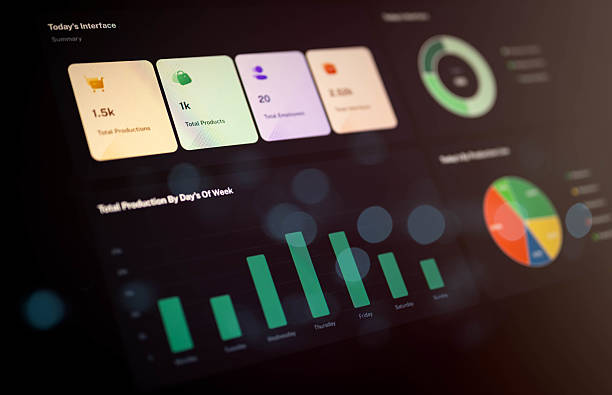
The Mosaic feature integrates multiple interactive widgets within a single interface. These widgets enable users to access specific information, view live data, use shortcuts, and perform simple tasks, making the interface more dynamic,engaging, and user-friendly. Furthermore, the widgets are configurable, allowing users to customize their layout and behavior including moving, resizing, and editing content — or even create new widgets as per their requirements, ensuring a truly personalized and flexible experience.
Course Objectives
- To understand the functionality of the Dynamic widget in Onfinity system.
- Widgets should provide users with convenient and easy to access features or information that improve overall usability on a application or device
- Widgets often aim to deliver real – time updates.
- Widgets can be designed to allow users to interact with content directly, such as submitting forms, clicking buttons, or customizing settings.
- Widgets goal is to streamline specific tasks, making them quicker and more efficient, such as providing quick access to data or functions.
Course Content
- Mosaic Library
- Widget Types
- Dynamic Widget
- Widget on Homepage
- Dynamic Widget on landing page
- Show Advanced search on Dynamic widget


Performance Management System
Performance Management System Pre-Sales
Overview
The Performance Management System in Onfinity is designed to help organizations efficiently manage and track employee goals, milestones, and appraisals. This course provides a detailed walkthrough of how users can utilize Onfinity’s goal tracker, dashboards, My Actions section, and appraisal integration features. Through this session, learners will understand how to create, assign, review, and evaluate performance goals in alignment with organizational objectives.
The system emphasizes transparency, collaboration, and real-time progress tracking, enabling both employees and reviewers to stay connected through direct messaging and comments. Participants will gain hands-on experience navigating Onfinity’s key modules — from goal creation to final appraisal reports.
Course Objectives
- Understand the structure and functionality of the Onfinity Performance Management System.
- Navigate the dashboard to access goal trackers and performance views.
- Create and assign individual, departmental, and organizational goals with defined priorities and timelines.
- Configure and manage key results and milestones for measurable performance tracking.
- Use the My Actions section to update progress, upload documents, and communicate in real-time.
- Review and evaluate employee performance as a reviewer using the Reviewer View.
- Integrate goals with appraisal plans, including skills and competency mapping.
- Generate and interpret performance appraisal reports within Onfinity.
Course Content
- Overview of the system and dashboard navigation.
- Using Reviewee and Reviewer views to track and manage milestones.
- Viewing and filtering individual, departmental, and organizational goals.
- Steps to create, assign, and prioritize goals.
- Setting key results, measure types, and generating milestones.
- Adding comments, messaging, and sharing documents.
- Linking goals to appraisal plans and managing evaluations.
- Hands-on demonstration of the entire performance cycle.

Performance Management System
Performance Management
Overview
This course provides a practical understanding of the Performance Management Module, covering the end-to-end process of setting up and managing goal-setting, review cycles, and employee evaluations. It enables users to configure templates, define Goals, Key Results, Skills and competencies, assign reviewers, and conduct assessments in line with organizational policies. Learners will also explore advanced features like mid-term reviews and normalization, for transparent and data-driven evaluations.
Course Objectives
By the end of the course, learners will be able to:
•
Configure performance templates, parameters, and goal categories as per
organizational norms.
• Define
and manage performance cycles and reviewer hierarchies.
• Link
organizational goals with departmental and individual objectives.
•
Conduct evaluations, capture ratings, and manage feedback effectively.
•
Integrate performance scores with payroll, increments, and promotions.
Course Content
• Performance template creation (Goals, Key Results, Milestones,
Competencies and Skills parameters)
• Review
cycle setup and scheduling
• Goal
category and weightage configuration
•
Employee and reviewer assignment process
•
Self-assessment and manager review workflows
• Rating
scales and comment settings
•
Mid-term and final review management
•
Normalization and bell curve processing
•
Performance result approval and closure